AEF TECHNOLOGY UPGRADE
Training & Support
Your source for trainings, checklists, links, and more.
Training & How-to Video Library
Walkthrough videos showing you step-by-step how to move through the DAF process.
Advisor Training
Donor Training
Hub Overview
Support Resources
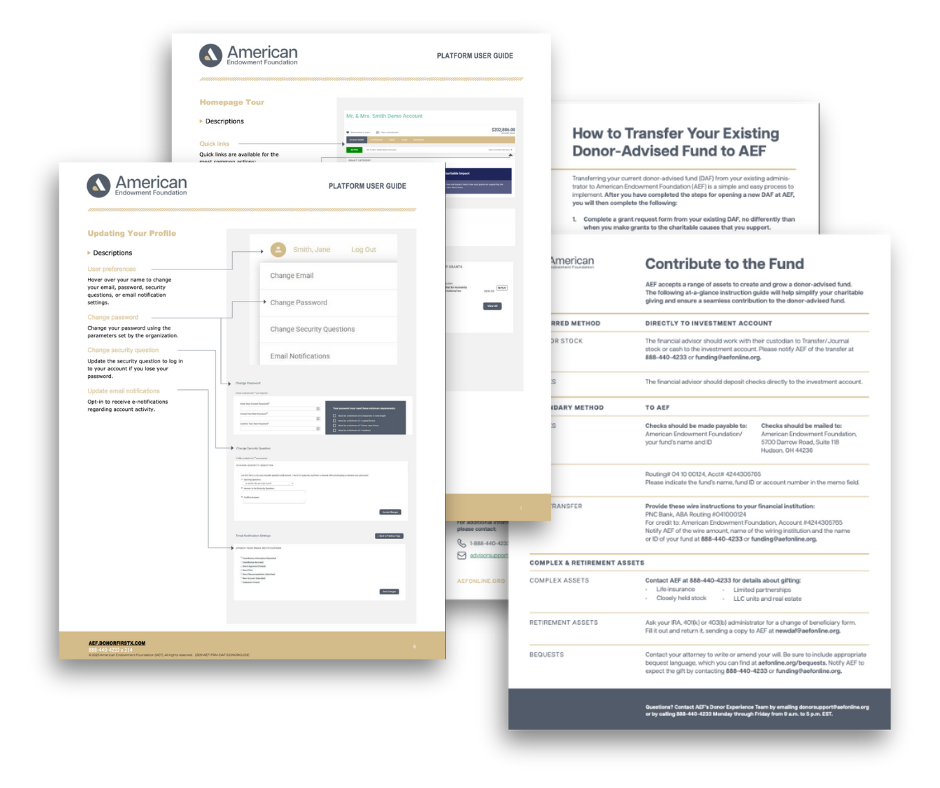
Resources
Mark your progress and know what’s ahead.
AEF Forms & Documents
Looking for AEF policies, change forms, or additional learning resources? Visit the AEF Forms & Docs page to download the documents you need.
New Platform FAQs
Welcome to our Q&A section. Questions will updated from now until the new platforms go-live. Be sure to check back regularly for the latest information.
Have a question? Send it to support@aefonline.org.
Q. What led AEF to make the platform switch?
A. We believed we had the opportunity to modernize and streamline your technology experience. It was time to provide enhanced advisor visibility, more seamless grant management, and an improved user-friendly design. This platform addresses those changes, and your feedback will ensure we improve upon it during this pilot.
Q. What is the new platform?
A. The AEF Technology Platform, powered by Ren, is designed to significantly improve the donor and advisor experience, making charitable giving easier, faster, and more transparent.
The new technology platform is a secure, modern portal that simplifies every aspect of managing charitable giving from application and grant processing to investment oversight and client communication.
Whether you’re an advisor or a donor, the platform delivers a centralized and intuitive experience.
Q. Will I Go Back to Using the Previous Platform (DonorCentral) after this transition?
Q. Will All Granting History be Available to Review on this Platform?
A. Only granting history from the past two (2) years will be reviewable on this platform. Please contact support@aefonline.org if you require additional information.
Q. How Will The New Platform Differ from the Previous AEF Platform?”
A. There are many enhancements, from the interface to the technology that powers it. Notably, there are several features completely new to AEF platforms, including the ability to edit and view successor advisors and the option to have a disposition plan on file.
Q. How will this new platform benefit advisors?
A. It will benefit advisors in several ways. The platform will offer advisors a unified view of all client accounts and giving activity, simplified workflows for managing grants and donor relationships, real-time visibility into donor impact, and more!
Q: How will this new platform benefit donors?
A. The platform benefits donors similarly to how it benefits advisors. It will provide donors with centralized access to all their charitable giving activity, real-time tracking of contributions and grants, digital onboarding tools, a secure grant disbursement option, and more.
Q. How much of a donor advisor’s account history will be visible during the pilot?
A. The funding for this pilot only pulls granting history from the past 33 months (2 years and 9 months).
Tips & Highlights
Additional things that are good to know.
Charity Search
When you’re ready to make a grant, you can search by name of charity or EIN. If this is a charity not in the system, you’ll also have the option to add in a charity manually to be vetted.
When entering your information, the form fields with red dots are required fields.
Save & Update Grant Recommendations
Did you know you can start a grant recommendation and finish it later? Click the Save for Later option before you Submit a Grant. You can revisit the recommendation by going to the “Recommend a Grant” page.
The saved grant recommendation will be found under the search bar of “Find a Charity.”
Glossary & Definitions
Did you know there are wording differences between how AEF defines certain roles, and how Ren defines roles? When using the platform, role names are as follows:
- Grant Advisor = The person specifically empowered to recommend grants.
- Donor = Any contributor to the fund.
- Money Manager = A financial advisor who works with donors and grant advisors.
Punctuation & Special Characters
Did you know you should avoid using special characters when filling out your digital forms?
Avoid using quotation marks, ampersands, and other special characters when filling out form fields to ensure the forms aren’t marked as inaccurate.